Waybar
Bottom Waybar for Hyprland/Omarchy — module layout, a drawer of system indicators, the window-title pill, and theme-driven styling.
Waybar is a status bar for wlroots-based and Hyprland compositors. This config replaces Omarchy’s default bar with a bottom-docked layout. It uses Hyprland and Omarchy modules and commands, so it pairs with the Hyprland setup. Under niri, Noctalia provides the bar.
Files
| Source (repo) | Target |
|---|---|
dot_config/waybar/config.jsonc |
~/.config/waybar/config.jsonc |
dot_config/waybar/style.css |
~/.config/waybar/style.css |
dot_config/waybar/window_pill.py |
~/.config/waybar/window_pill.py |
dot_config/waybar/V6.cb.png |
~/.config/waybar/V6.cb.png |
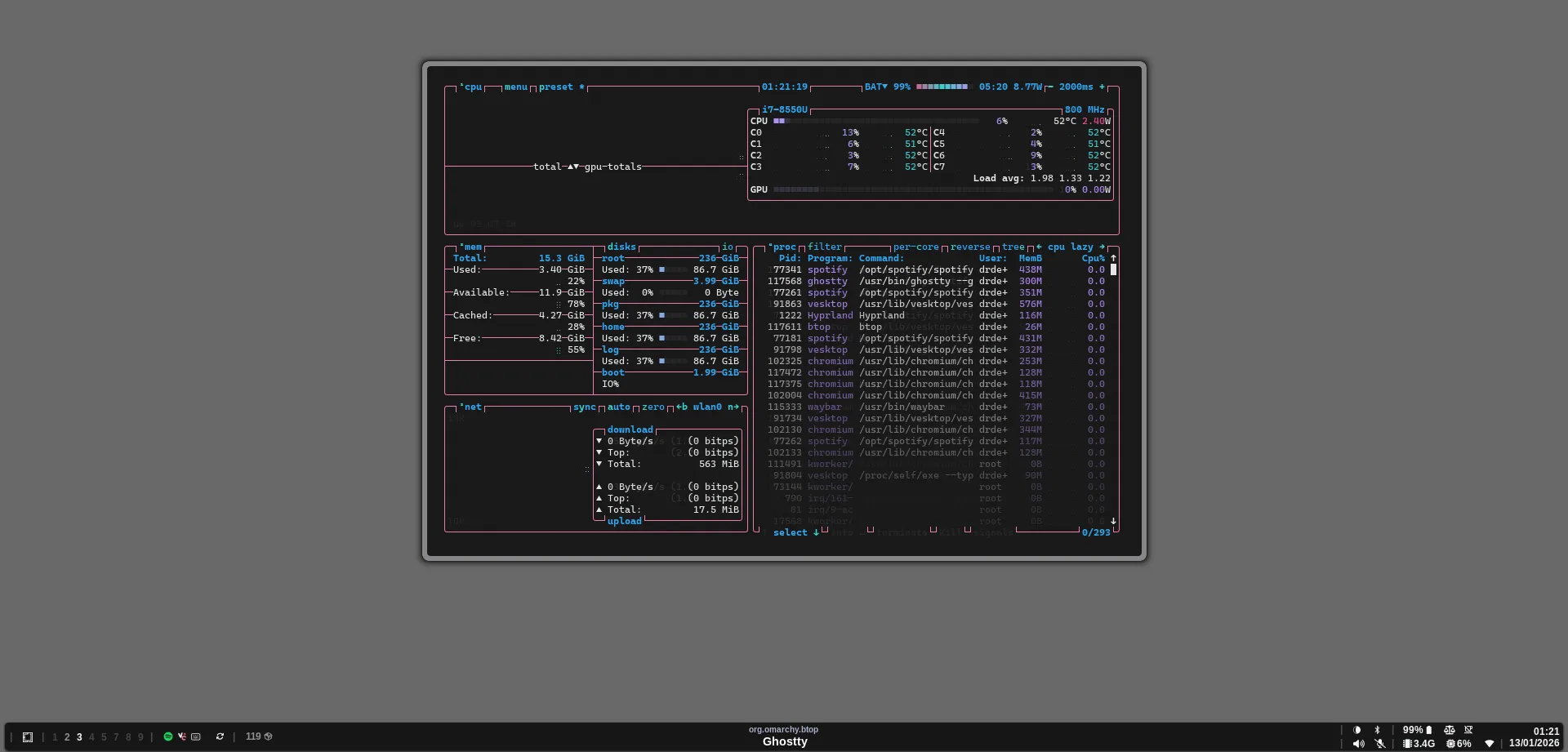
V6.cb.png is a 1920×921 reference screenshot of this bar, taken with a floating btop window over a plain background. No config file references it.
Bar settings
| Option | Value |
|---|---|
position |
bottom |
exclusive |
true (reserves space) |
fixed-center |
true |
spacing |
2 |
margin-top |
1 |
reload_style_on_change |
true |
Layout
Left
- separator
custom/omarchy- separator
hyprland/workspaces- separator
tray- separator
custom/voxtypecustom/updatecustom/screenrecording-indicatorcustom/updatespacman- separator
idle_inhibitor
Center
custom/windowpill
Right
group/right-group2→group/right2→group/tray-expandergroup/right-group1→group/right1→clock
The right side nests groups in vertical wrappers so the drawer and the two-line clock align. group/tray-expander is a drawer (600 ms transition, children class tray-group-item). It shows only custom/expand-icon until hovered, then reveals: backlight, bluetooth, pulseaudio#output, pulseaudio#input, power-profiles-daemon, network, memory, cpu, battery.
Modules
| Module | Configuration |
|---|---|
custom/separator (also separator2, separator3, defined but unused) |
Literal |, no tooltip |
custom/omarchy |
Omarchy logo glyph (omarchy font). Click: omarchy-menu. Right-click: xdg-terminal-exec. Tooltip “Omarchy Menu — Super + Alt + Space” |
hyprland/workspaces |
format "{icon}", click to activate, pointer cursor. Persistent workspaces 1, 2, 3, 4, 5, 7, 8, 9 |
tray |
Icon size 12, spacing 5, shows passive items |
custom/voxtype |
omarchy-voxtype-status (JSON). Icons for idle (none), recording, transcribing. Click: omarchy-voxtype-model. Right-click: omarchy-voxtype-config |
custom/update |
omarchy-update-available every 6 h (interval 21600, signal 7). Click runs omarchy-update in a floating terminal |
custom/screenrecording-indicator |
$OMARCHY_PATH/default/waybar/indicators/screen-recording.sh (JSON, signal 8). Click: omarchy-capture-screenrecording |
custom/updatespacman |
waybar-module-pacman-updates --no-zero-output, only if that binary exists. Shows an icon when updates are pending |
idle_inhibitor |
Activated/deactivated icons |
custom/windowpill |
~/.config/waybar/window_pill.py (JSON, restart-interval 1), centered |
clock |
{:%H:%M\n%d/%m/%Y} (two lines); alt {:%H:%M - %d/%m/%Y}. Month calendar tooltip (3 columns; month #ffead3, weekdays #ffcc66, today #ff6699). Right-click: omarchy-tz-select in a floating terminal |
backlight |
Device intel_backlight, 15-step icon ramp, tooltip shows percent |
bluetooth |
Off/on/connected icons, tooltip shows connection count. Click: omarchy-launch-bluetooth |
pulseaudio#output |
Icon only (headphone or 3-step speaker, muted icon). Max 100%, scroll step 2. Click: omarchy-launch-audio. Right-click: pamixer -t (mute) |
pulseaudio#input |
Mic / muted-mic icon. Max 100%, scroll step 1 via pactl set-source-volume. Click: omarchy-launch-audio. Right-click: pamixer -t |
power-profiles-daemon |
Icons for performance / balanced / power-saver. Tooltip shows profile and driver |
network |
5-step Wi-Fi signal icons; ethernet and disconnected icons. Tooltips show ESSID, frequency, and bandwidth. Polls every 3 s. Click: omarchy-launch-wifi |
memory |
{used:0.1f}G every 2 s. Click: omarchy-launch-or-focus-tui btop |
cpu |
{usage}% every 10 s. Click: btop |
battery |
{capacity}% {icon} with 10-step charging and discharging ramps. Warning at 20%, critical at 10%, polled every 5 s. Click: omarchy-menu power. Right-click: notify-send of omarchy-battery-status |
Icons are Nerd Font glyphs.
window_pill.py
A Python script that feeds custom/windowpill a two-line label for the focused window:
- Top line: the window class, small,
#a6adc8, lowered withrise='-2000'. - Bottom line: the title, bold, size 11000,
#ffffff, truncated to 80 characters (MAX_TITLE_LEN). For Discord/Vesktop it removes the unread counter prefix such as(209)and a leadingDiscord |. - No focused window: shows
Workspace <id>over a non-breaking space.
Text is HTML-escaped for Pango and printed as JSON (class: custom-window, tooltip class: title). After the first print it connects to Hyprland’s event socket /tmp/hypr/$HYPRLAND_INSTANCE_SIGNATURE/.socket2.sock and reprints on activewindow>> and workspace>> events. It exits if HYPRLAND_INSTANCE_SIGNATURE is unset, which means the module does nothing outside Hyprland.
Styling
style.css imports the active Omarchy theme’s palette, so colors follow whatever theme Omarchy has selected (for example cyberdream):
@import "/home/prad/.local/state/omarchy/current/theme/waybar.css";The import path is hard-coded to /home/prad. On another account the import fails and the @background / @foreground colors are undefined.
| Element | Style |
|---|---|
| All | font-family: 'CaskaydiaCove Nerd Font Propo', no borders or text shadow, square corners |
Bar box (#waybar > box) |
@background fill, @foreground text, 2px/6px margins, 4px radius, box-shadow 0 1px 2px black, weight 700, size 12px, min height 30px, 0.5 s background transition |
| Window background | @transparent |
| Workspace buttons | Opacity 0.55. Active 1.0. Empty 0.2. Empty and active 1.0. Bold 12px |
| Modules | 6px horizontal padding, 1px margins, min width 12px |
| Separators | Opacity 0.25 |
custom/updatespacman |
Opacity 0.55 |
custom/expand-icon |
Opacity 0.5 |
custom/update |
10px font |
| Tray | @background. Passive items dimmed, attention items highlighted |
| Tooltips | @background, 12px, 8px radius, 1.5px solid rgba(255,255,255,0.25) border |
| Screen recording active | #eb7087, blinks to @background every 0.5 s |
| Voxtype recording | #a55555 |
| Battery warning | #c95d0f |
| Battery critical (not charging) | #e6d8ba on transparent, blinking to #f53c3c (0.5 s, 12 steps) |
Related
- Hyprland: the compositor this bar is built for.
- Fonts and default apps: Nerd Font packages.